

Make something beautiful
Instagram Fonts Generator
Start with one of six editable bio templates or write your own. Compare Unicode styles in context, preview the result on a simulated Instagram profile, and copy the bio when it reads the way you want.
SEE IT ON YOUR PROFILE
A bio that looks like you.
Try a style. See it in context.
Copy it when it feels right.
A style was shared with you
Example text only. Your own draft is not replaced until you choose to use it.
Start with a bio you like
Pick an example, then make the words your own.
Scroll sideways to explore all six examples →
Make it yours
0 / 1,000 code pointsShown above your bio in the preview. Not included when copying your bio.
Preview every style
0 / 1,000 code pointsChoose a finished style to see your whole bio in the profile preview. Copy any row when it feels right.
Edit line by line
Style each line while watching your profile update. Refresh clears your draft. The 1,000-code-point tool limit is not a platform limit.
Switching here carries your draft in this tab using temporary session storage. Refresh clears your draft; sharing never includes it.
Saved styles 0
Stored in this browser only. Applying a saved style uses example text.
LIVE UNICODE PREVIEW
Type once. Compare 6 styles.
Your text stays in this browser.
Make something beautiful
Make something beautiful
Make something beautiful
Make something beautiful
Make something beautiful
Instagram bio fonts, with room for your story.
The six bio templates offer different starting points: Creator, Photographer, Travel, Artist, Small business, and Minimal. Choose the closest example, replace it with details about your own work or interests, and compare the result in the profile preview.
CREATOR BIO
Make a Creator bio template your own
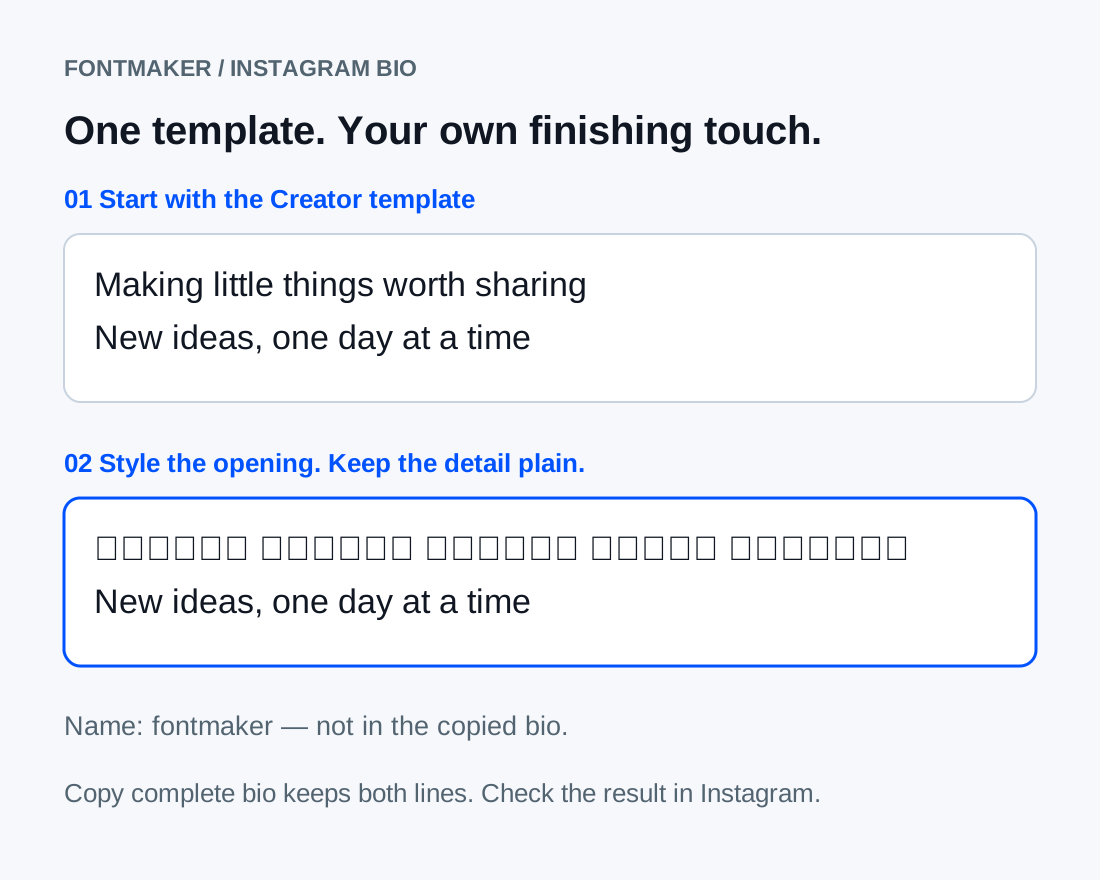
Choose Use template on Creator, then replace the example with what you make and one personal detail. Preview every style changes the whole bio; Edit line by line lets you emphasize only the opening. Keep contact information in plain text so it remains easy to read and type.
Try your textDISPLAY NAME
A cursive Instagram name
A short first name in script can give a profile a softer feel. Switch to Short text to generate the name you want to copy. The separate Name field in the bio preview is only for context, so editing that field will not add a name to your copied bio.
Try your textCAPTION ACCENT
Instagram caption fonts for an opening line
Try italic text for a brief mood or a bold phrase for the start of a caption. Style the introduction and leave the rest easy to skim. Keep mentions, hashtags, and links in ordinary text so their characters remain unchanged when pasted.
Try your textUSE IT WELL
Choose a bio template, then make it yours
Choose Use template on a finished example, then replace the words in Bio text. Pick a row in Preview every style for one consistent treatment, or open Edit line by line to style only an accent and keep contact details plain. Copy complete bio includes your text and line breaks, not the separate preview Name. For a display name or caption opener, switch to Short text. Check the pasted result in Instagram: this simulated profile cannot guarantee the same wrapping on every device.
Instagram Fonts Generator FAQ
How do I use an Instagram bio template?+
Choose Use template on Creator, Photographer, Travel, Artist, Small business, or Minimal. Edit the example text, choose a style, and select Copy complete bio. If you have edited your draft, replacing it with another template asks for confirmation.
Why does styled text look different on another phone?+
These are Unicode characters rather than installed fonts. Devices can draw them differently, and some screen readers may spell them out. Use a simpler style if you see boxes, and keep essential information in plain text.
How do I keep line breaks in my Instagram bio?+
Enter each thought on its own line in the bio editor and copy the complete bio. After pasting, check the saved profile as well as the editing field: line wrapping also depends on the screen width.
Can I make only one Instagram bio line bold?+
Yes. Open Edit line by line and choose a style for that line while leaving the others plain. This is useful for a short role or introduction above contact details.
Is the preview name included when I copy my bio?+
No. The Name field only updates the simulated profile and is not included in your copied bio. Use Short text to create and copy a styled display name separately. FontMaker creates Unicode characters, not an installed Instagram font.
Does sharing a bio style include my text?+
No. Sharing and saving keep the style configuration, not your draft or preview name. A recipient sees editable example text. Refresh clears the current draft, so copy any wording you want to keep before leaving.